 Polka
Every course, one calm place.
Polka is a Mac app for students on Canvas. What is due, your grades and your feedback, together, on your own sign-in.

- Your own sign-in You sign in on your school's page. No tokens, no admin access.
- Canvas stays in charge Due dates, locks and grades show as Canvas has them.
- You press Submit Nothing is handed in, posted or sent unless you press the button.
- Notes stay yours Your notes, plans and reminders are never written to Canvas.

Know where you stand.
Grades are worked out the way Canvas works them out: weights, dropped scores and late deductions. Type the grade you want and see what you need on what is left.
Read it, do it, hand it in.
Instructions, the rubric as a checklist and Submit, on one page, in your instructor's order. When Canvas has your work, you get the receipt.

Claude plans. You decide.
If you have your own Claude plan, ask it to plan your week or explain your feedback. What it suggests waits in amber until you keep it. It cannot submit, post, send a message or open a quiz.

Built for the whole term.
-
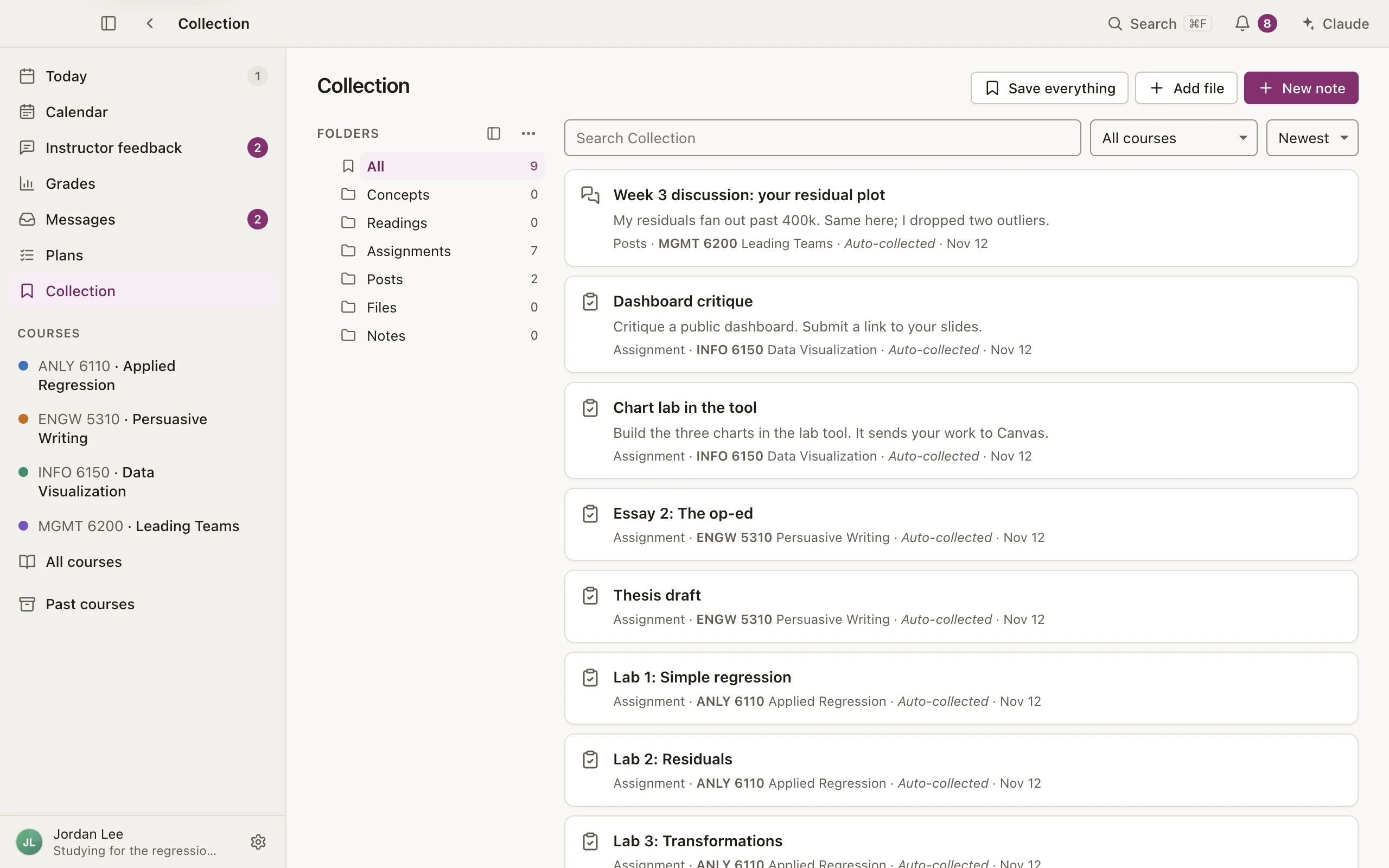
Keep what you learned
Notes, saved pages, your submissions and their feedback stay on your Mac after the course ends.
-
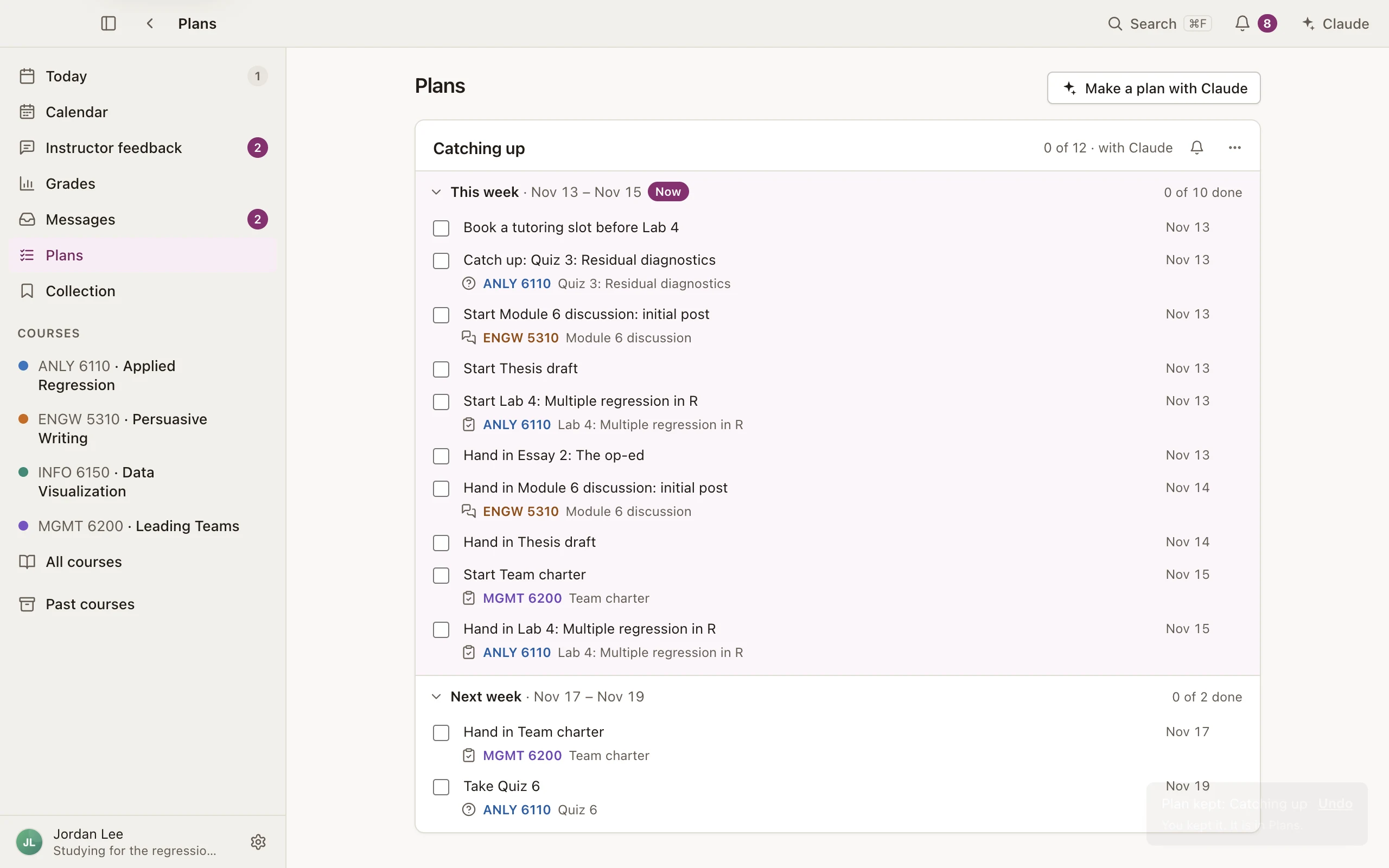
A week you can follow
Plans in steps, each linked to its assignment, with reminders before things are due.
-
Read your way
Your font, size, spacing and contrast. Dark mode. Read aloud.
-
No waiting
What you opened is kept on your Mac and shows at once, offline too.
-
Keys for everything
Every screen works from the keyboard and is built for screen readers.


Fair questions.
Is my Canvas password safe?
You type it into your school's own sign-in page, in a window inside Polka. Polka never sees or keeps your password. The sign-in Canvas gives you stays on your Mac.
Can Polka or Claude submit for me?
No. Nothing is submitted, posted or sent unless you press the button yourself. Claude has no way to submit, post, message or open a quiz, and it is off while you take one.
Does my school need to set anything up?
No. Polka signs in as you and does only what you can do in Canvas in a browser. Polka is independent: it is not made by, or affiliated with, Instructure or your school, and your school's rules still apply.
Will my instructor see anything different?
Your work arrives in Canvas as it always does. Opening a page in Polka counts as viewing it, the same as opening it in Canvas. Polka does not hide anything you do.
Do I need Claude?
No. Everything else works without it. Claude is optional, and needs your own paid Claude plan and a short setup.
What do I need?
A Mac with macOS 12 or later, a school that uses Canvas, and a free Polka account, which you make with your email when you first open the app.
Is there a Windows or phone version?
Not yet. Polka is for the Mac for now.
What does Polka keep about me?
Your account: your email, and the profile you choose to fill in. Your notes, plans and saved items are locked on your Mac before they sync between your devices, so we cannot read them. The privacy page has the whole list.
Get Polka
Download for Mac For an Intel Mac
Free while Polka is in early access. macOS 12 or later.